Case Study
Behind The Click #3: Why Jack Gordon's Thumbnails Work
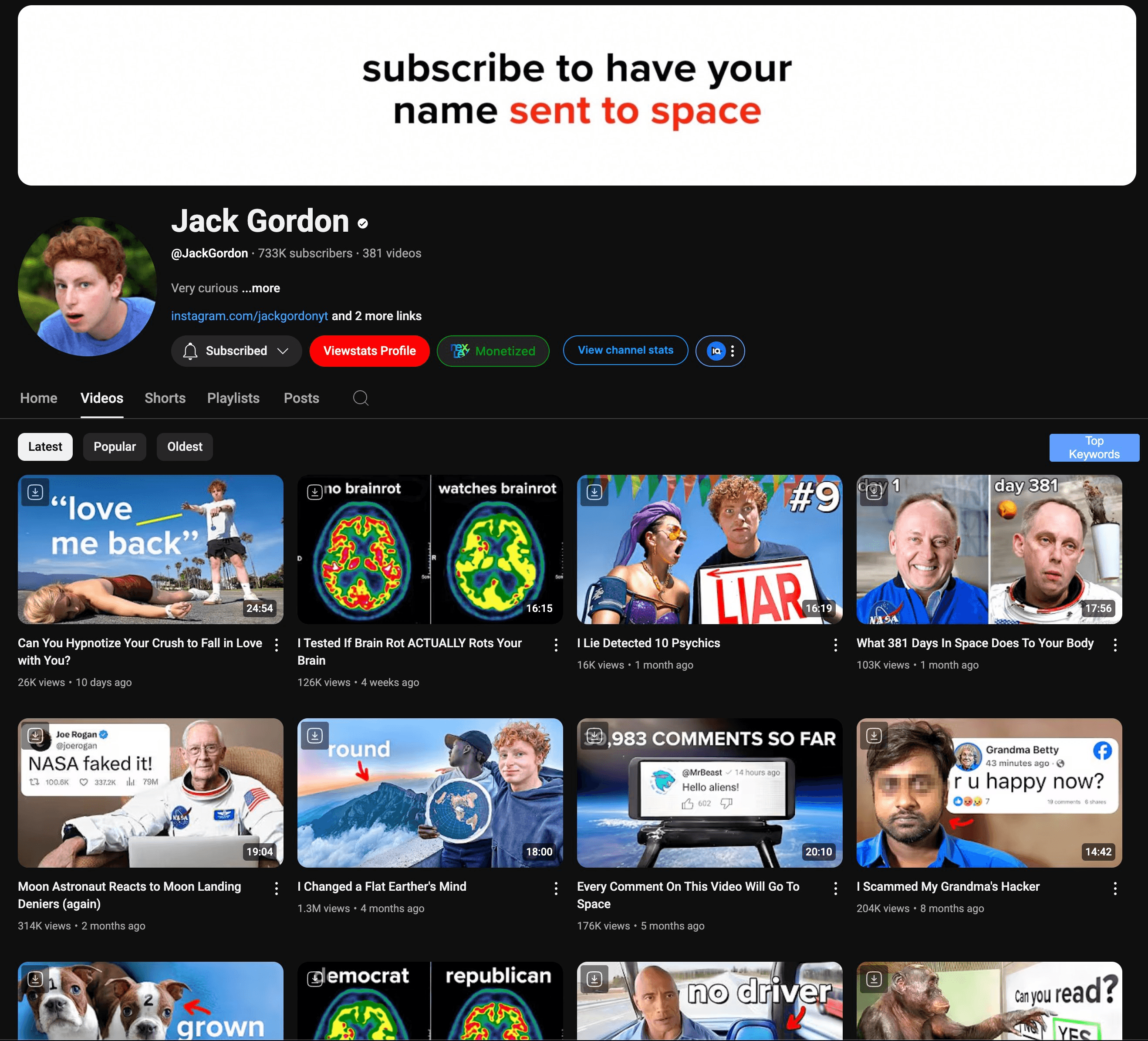
This is @JackGordonYT, he has over 730k+ subscribers and 234 million combined views on his channel.
His thumbnails play a huge role in his success on Youtube
So, here are 5 things you can learn from his thumbnails
1) The Curiosity Gap
First, you need to understand it:
It is the gap between…
What we currently know vs What we want to know
Jack achieves this by using a combination of these methods
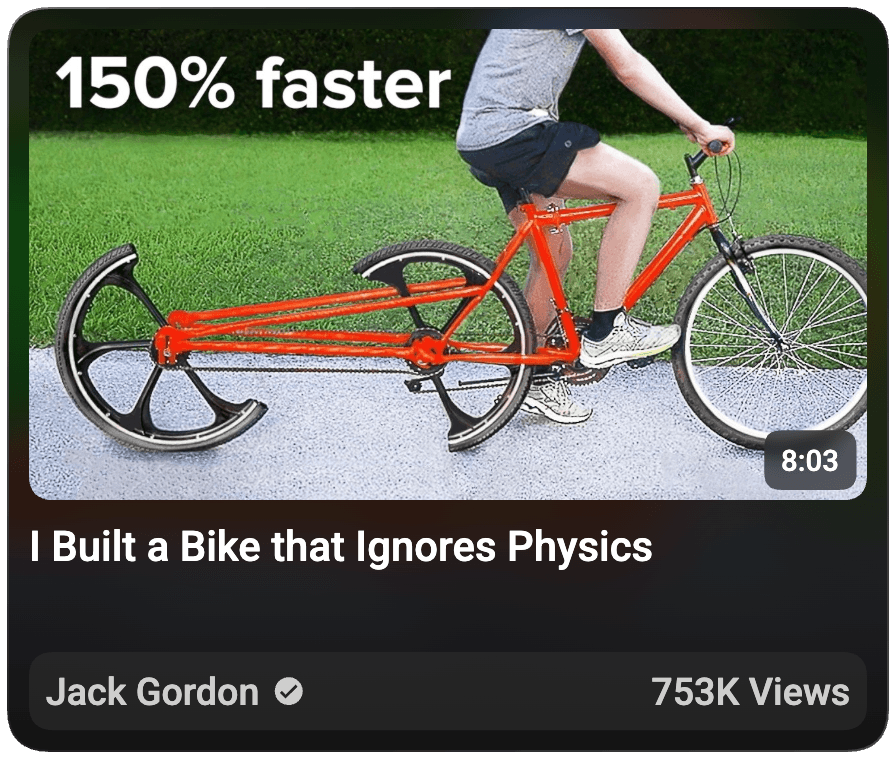
1) Through mid-action:
These types of thumbnails offer a sneak peek into the video by capturing a moment from the video that holds tension and emotion.
2) Through novelty:
These types of thumbnails make us click because we want to experience something we have never seen before.
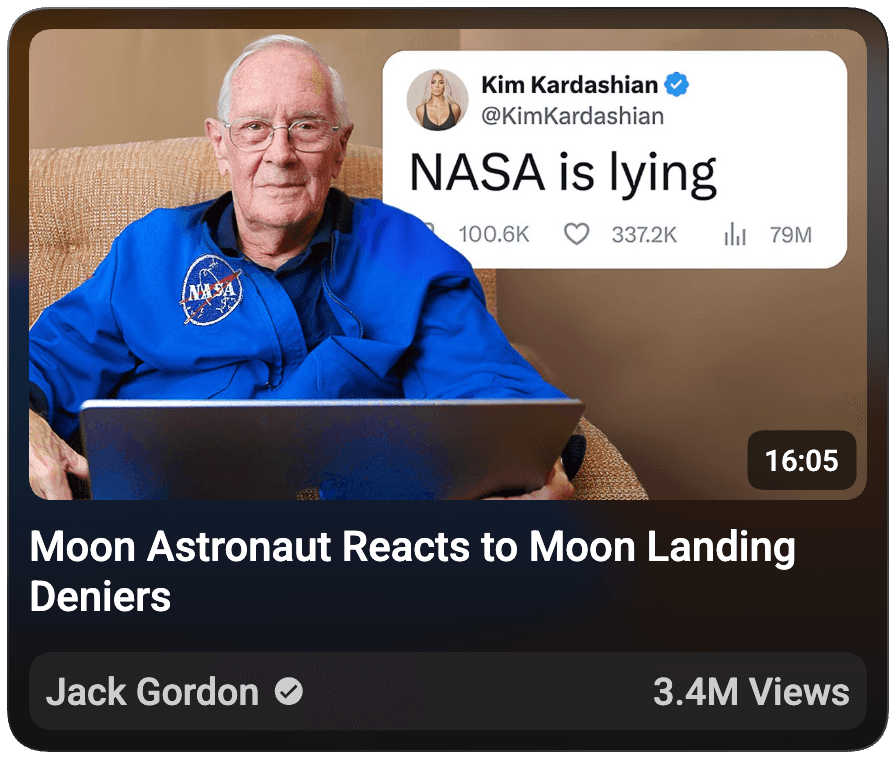
3) Through story:
These types of thumbnails make you wonder… “What happens next?” because these thumbnails set a question or a tension.
When used right, curiosity gaps create questions in the viewer’s mind, questions they have to get answers to. The only way to get the answer? Clicking the video

────────────────────────
2) Social Hacking
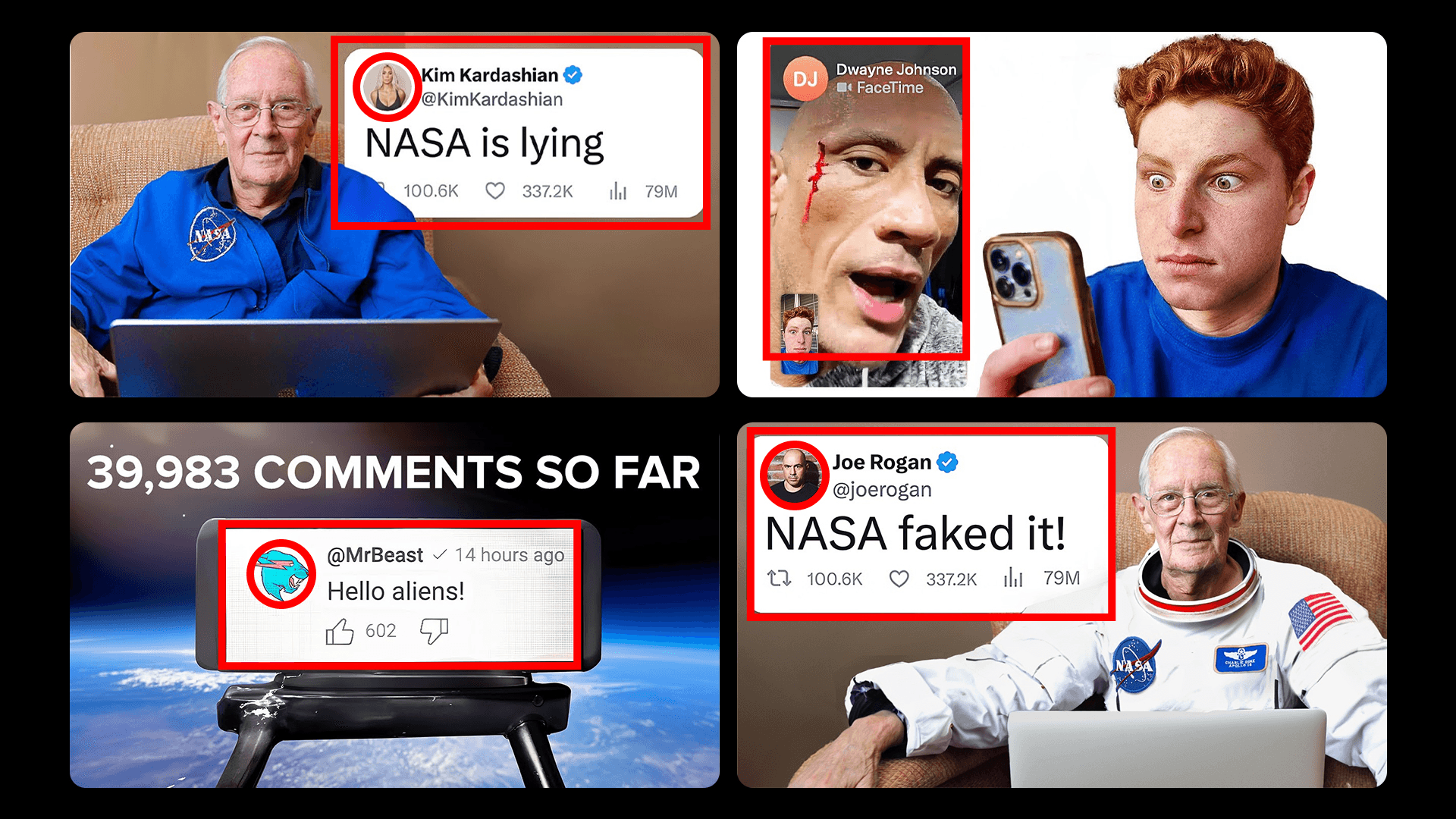
Our brains are naturally drawn to what we are familiar with, specifically to who we know, like, and/or trust.
Jack implements this well...using famous celebrities and recognizable/familiar UI
────────────────────────
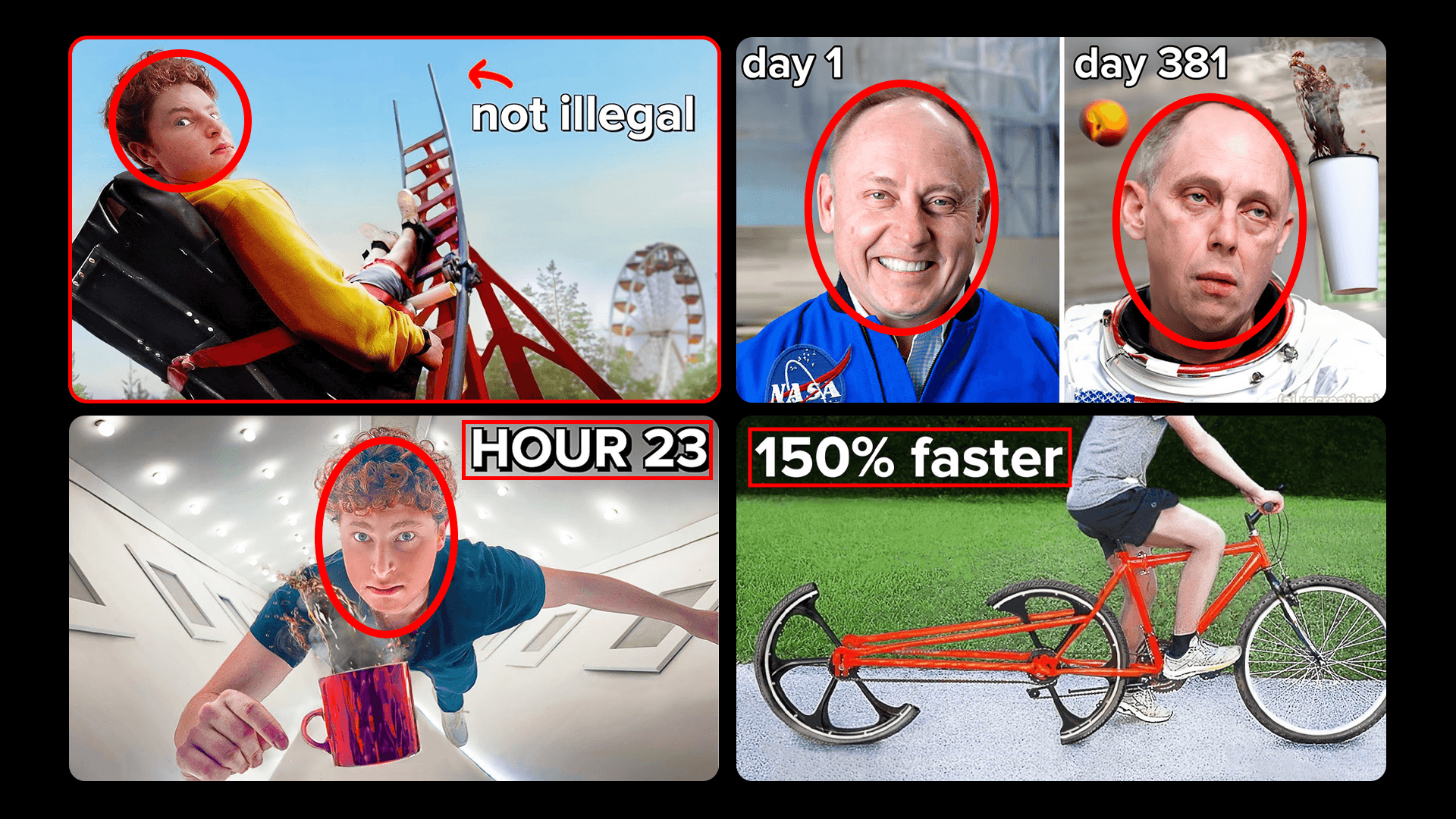
3) Scroll Stoppers
Every thumbnail NEEDS a scroll stopper. The Youtube homepage has hundreds of videos ready for you to click
As the potential viewer scrolls on the homepage, they glance at a few videos here and there. You need something in your thumbnail for them to stop.
Examples of scroll stoppers:
Bright Colours
Aesthetically Pleasing Thumbnails
Numbers
Money
Faces
Emotions
Jack uses these strategically...
────────────────────────
4) Meeting Viewer Expectations
Most YouTubers understand the title and thumbnail get the click and the video itself drives watch time.
BUT
(If you didn’t already know about this feature by now…)
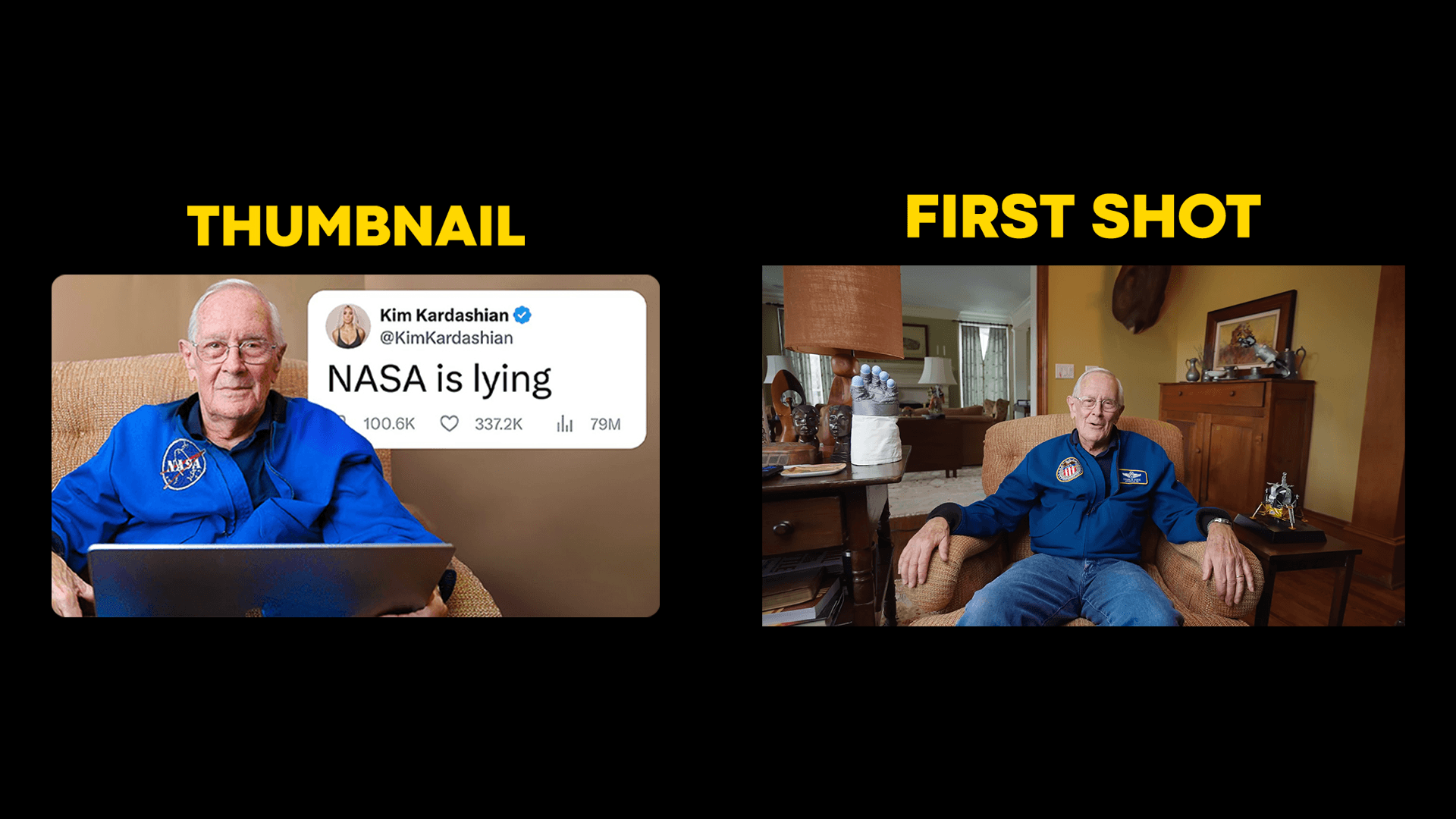
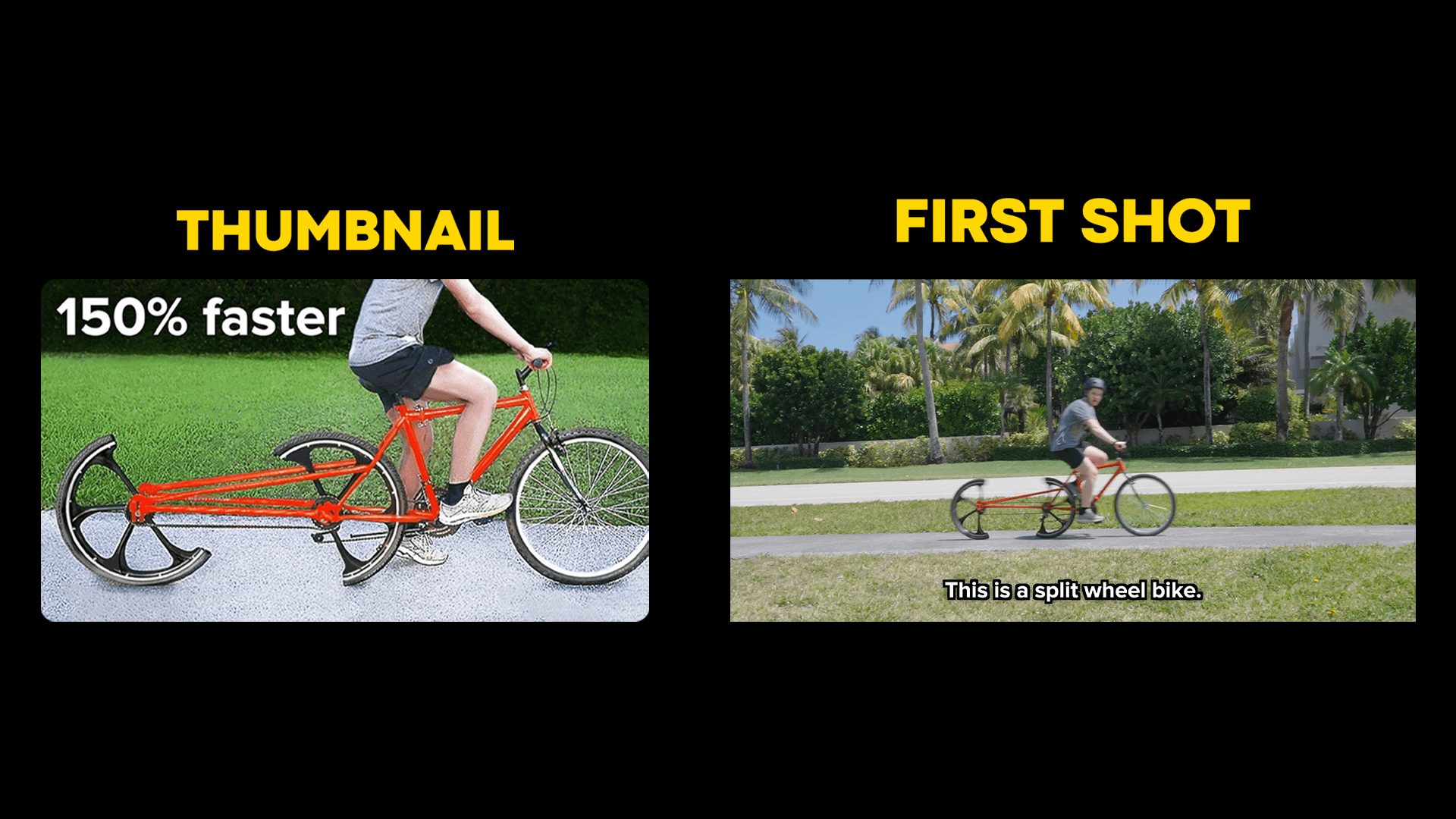
When I hover over a video, it starts playing.
So now you have to deliver the video’s expectations to the potential viewer within the first 5-10 seconds or they won’t click.
The best way to do it? Matching the first shot of your video with your thumbnail.
────────────────────────
5) Simplicity
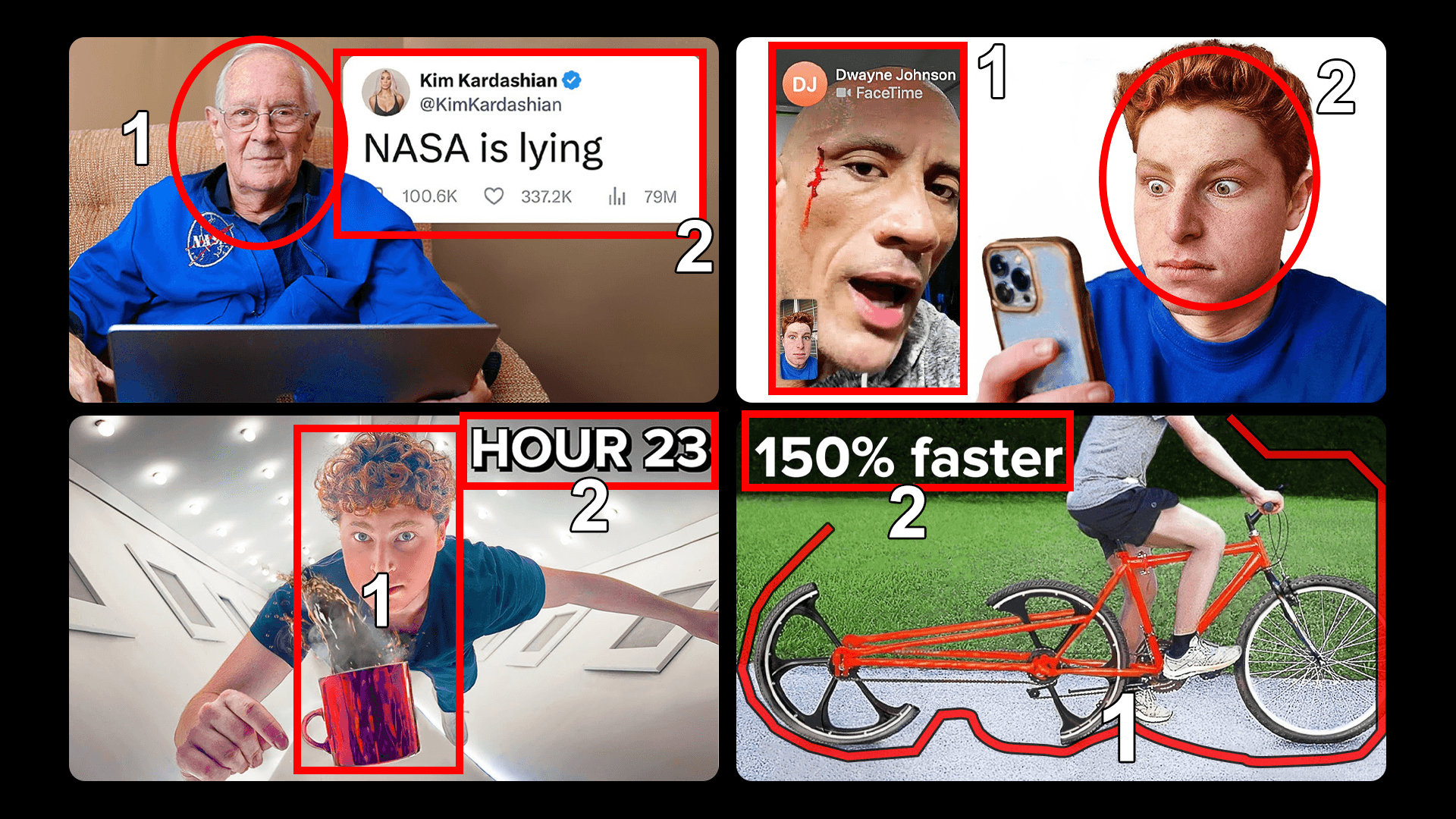
A really important rule when it comes to making thumbnails: Don’t have more than 3 elements.
Jack's thumbnails follow that exact fundamental rule.
His thumbnails are simple, clear, and easy to understand
More elements = More confusion for the potential viewer
You want the potential viewer to understand the video idea as quickly as possible. The longer it takes to understand it, the less likely they are to click
That's it from me and these are 5 strategies you can implement in your next thumbnail.